The Security group of the administration has two pages. Everyone sets up their own two-factor authentication in their Settings (Security tab of the mailbox); another user's is reset from the Users page.
Sessions and recovery
Security › Sessions and recovery (set by the super admin):
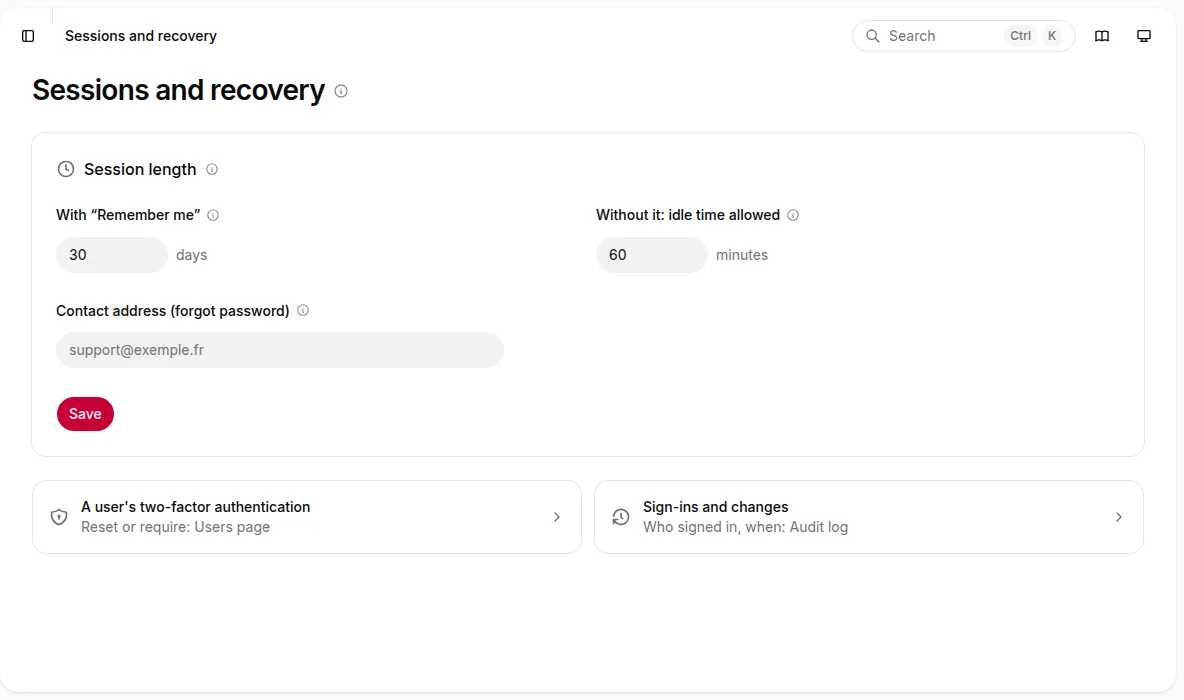
- Session length: With "Remember me", in rolling days since the last visit (90 at most); Without it: idle time allowed, in minutes, with sign-out when the browser closes.
- Contact address (forgot password): shown on the "Forgot password" page when a user has no way left to recover their account (no signed-in device, recovery code, passkey or recovery address). Empty: no address.
Two shortcuts lead to the Users page (reset or require an account's two-factor authentication) and to the Audit log.
Audit log
Security › Audit log records sign-ins, settings and account changes as they happen: who (the Author), what (the Action), on what (the Target), when, and the details.
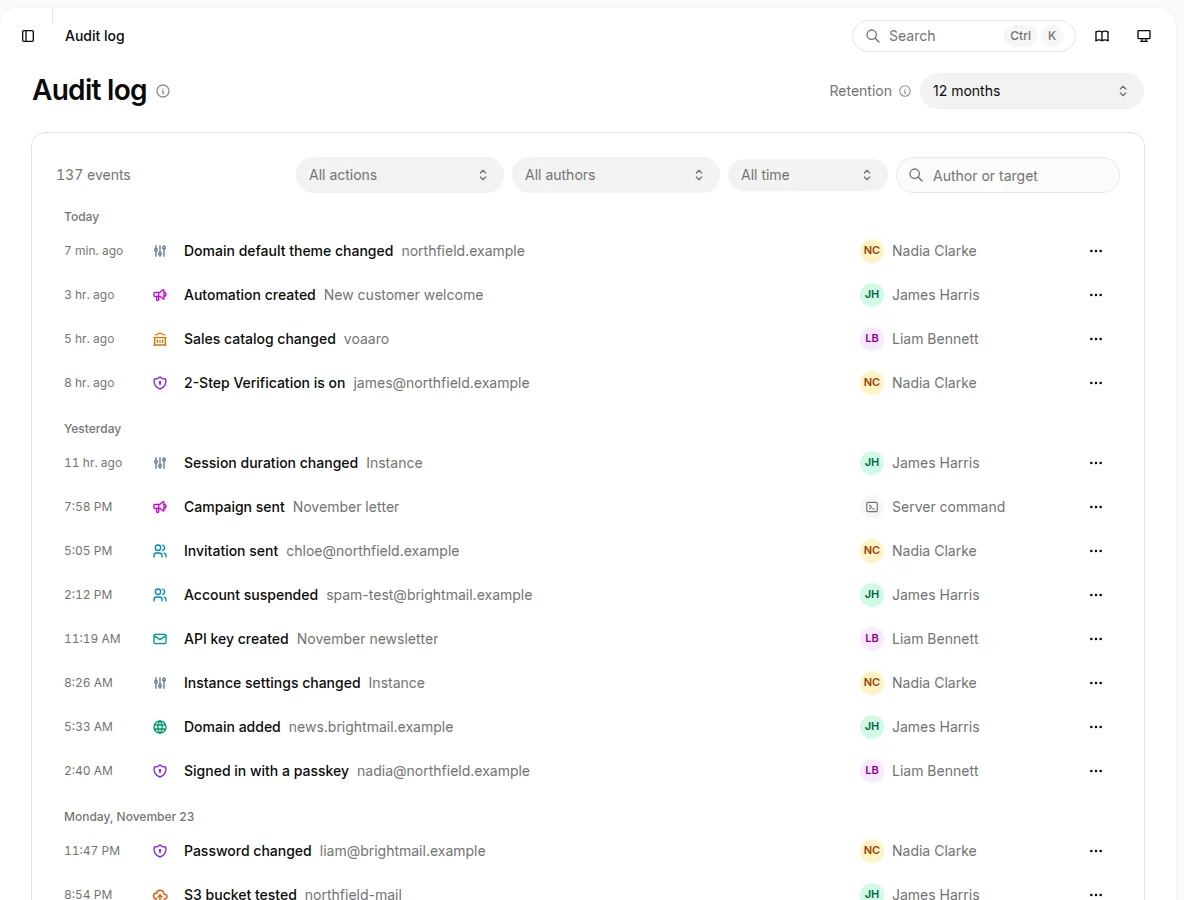
- Action family (accounts, invitations, API keys, domains, two-factor authentication, roles, suppression list, instance settings…) and search by Author or target.
- Right-click or ⋯ on a row: Same author, Same target, Same actions (filter the log in one click), Copy row (full details included).
- An organization admin only sees their organization's events; the operator sees everything.
Retention (list at the top right of the log, operator): 12 to 36 months, 12 by default. Follow your country's law: in France, a hosting provider keeps connection data for one year (Account export and deletion).