The Sending and API group of the administration serves the applications that send email through the API: invoices, forgotten passwords, notifications.
API keys
Sending and API › API keys: one key per application.
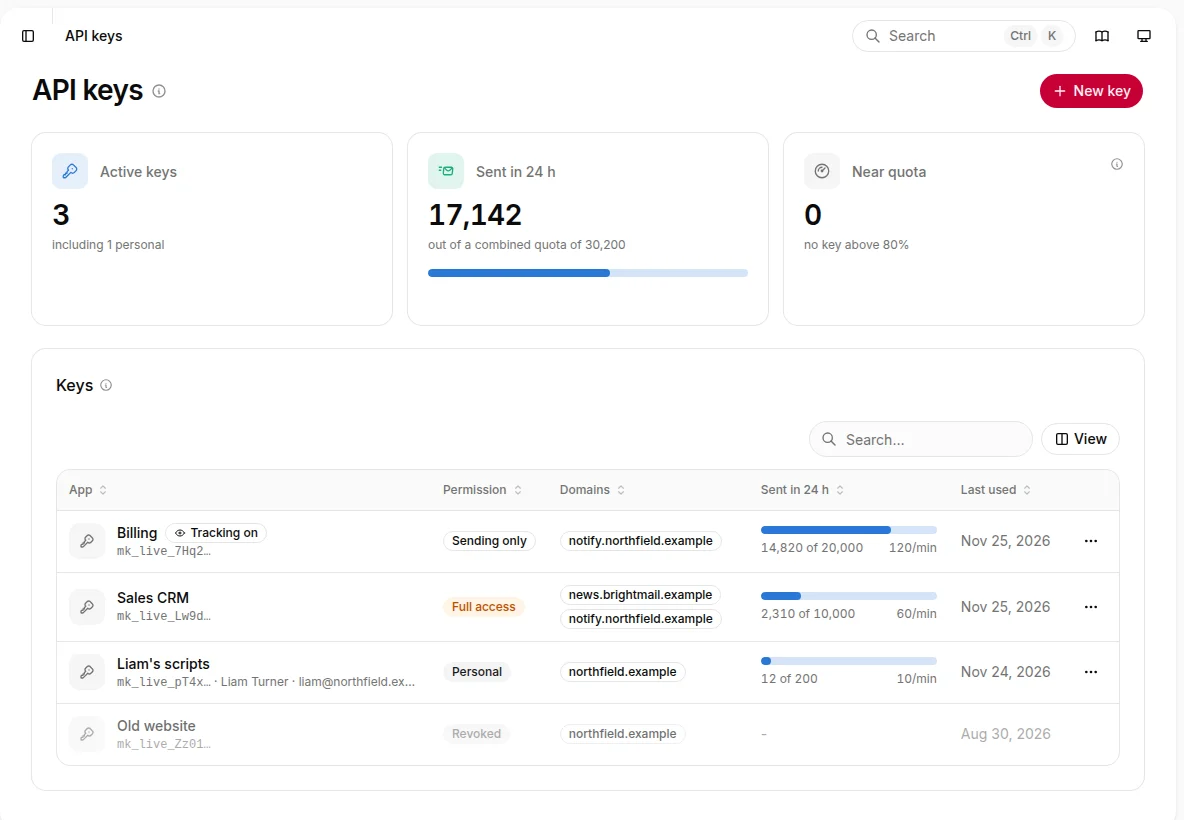
- The tiles: Active keys (including personal keys), Sent in 24 h against the keys' combined quota, Near quota (keys at 80 % or more of their 24-hour quota; beyond it, the API refuses new messages with error 429).
- The list: application, Permission (Sending only, Full access, Personal), allowed domains, emails sent in 24 hours with the quota gauge and rate per minute, last use. A revoked key stays greyed out.
Create a key
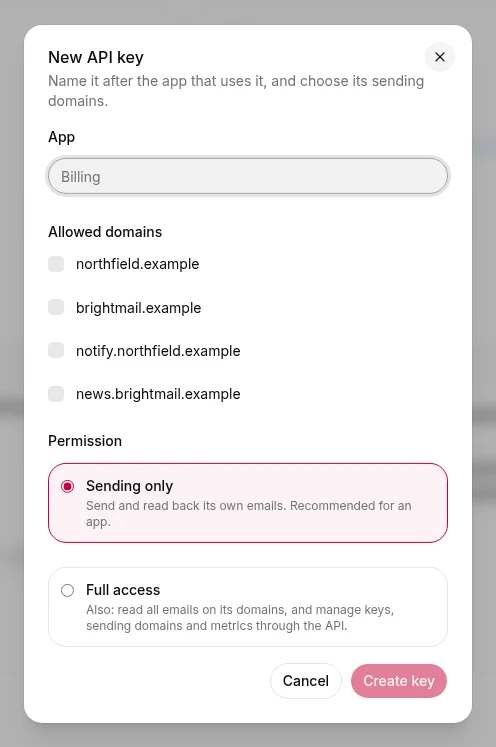
- New key, then name it after the application that uses it ("Billing").
- Permission: Sending only (send and read back its own messages, recommended for an application) or Full access (also read all the domains' messages, manage keys, sending domains and metrics through the API).
- Allowed domains: the domains it may send from (mailbox domains or dedicated sending domains).
- Create key: it is shown only once. Copy it into the application's configuration, then I've copied the key; only its fingerprint is kept.
Actions on a key
⋯ menu or right-click (a personal key only has Limits and Revoke):
- Send: write a message (or start from a template) and send it with this key, from the console;
- Limits: messages per 24 hours and per minute for this key (Limits and quotas);
- Webhook: the address that receives events for its messages (delivered, bounced, opened…), its secret, a test delivery and the latest deliveries (Webhooks);
- Turn on tracking of opens and clicks (the application must collect consent from tracked recipients);
- Revoke: the application can no longer send; messages already accepted still go out.
Sending settings
Sending and API › Sending settings:
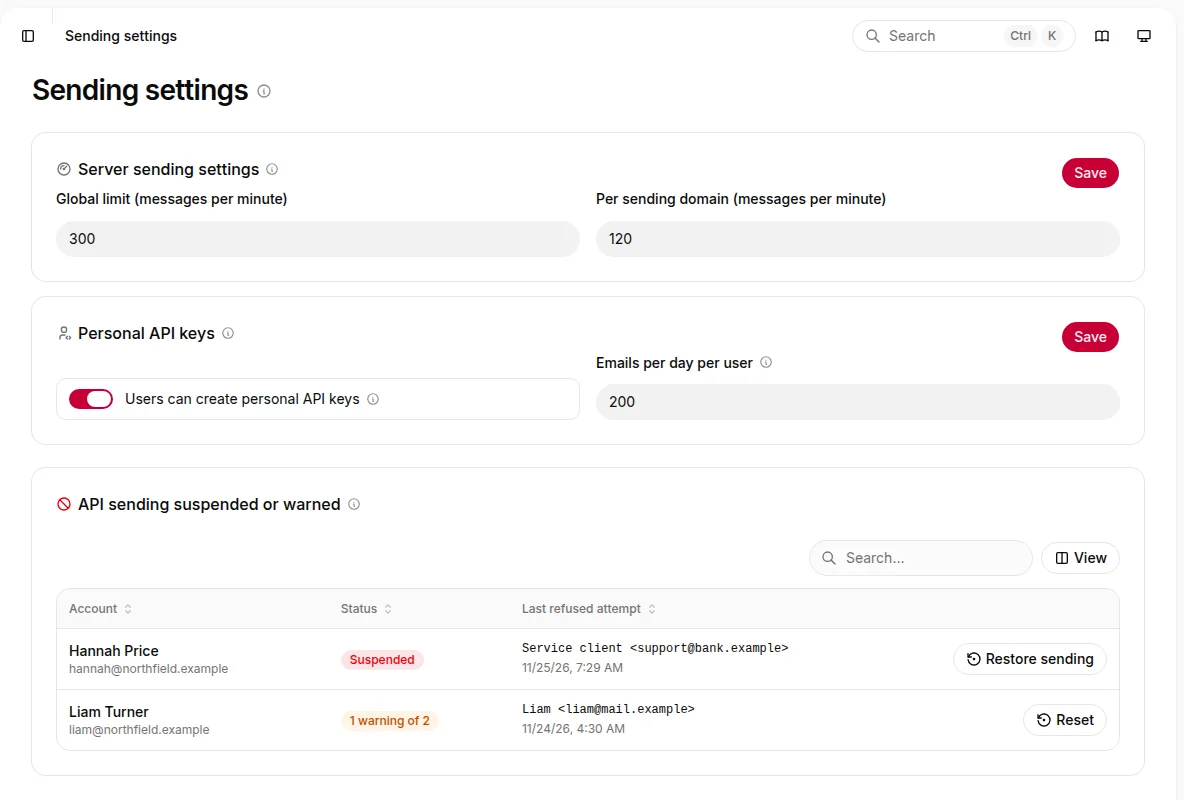
- Server sending settings (super admin): Global limit (messages per minute) and Per sending domain (messages per minute).
- Personal API keys (super admin): Users can create personal API keys (Developers area of the mailbox) and Emails per day per user.
- API sending suspended or warned: a personal key only sends in its owner's name. On the 3rd attempt under another name or address, API sending is suspended for that account. Restore sending (or Reset for a warned account) restarts the counter.