The Newsletters space (account menu) manages a domain's newsletter: its subscribers, its campaigns and its forms. It appears if the administrator has given you the right to manage newsletters for at least one domain (on a public service, if your plan includes them). Everything it does is also available through the newsletters API.
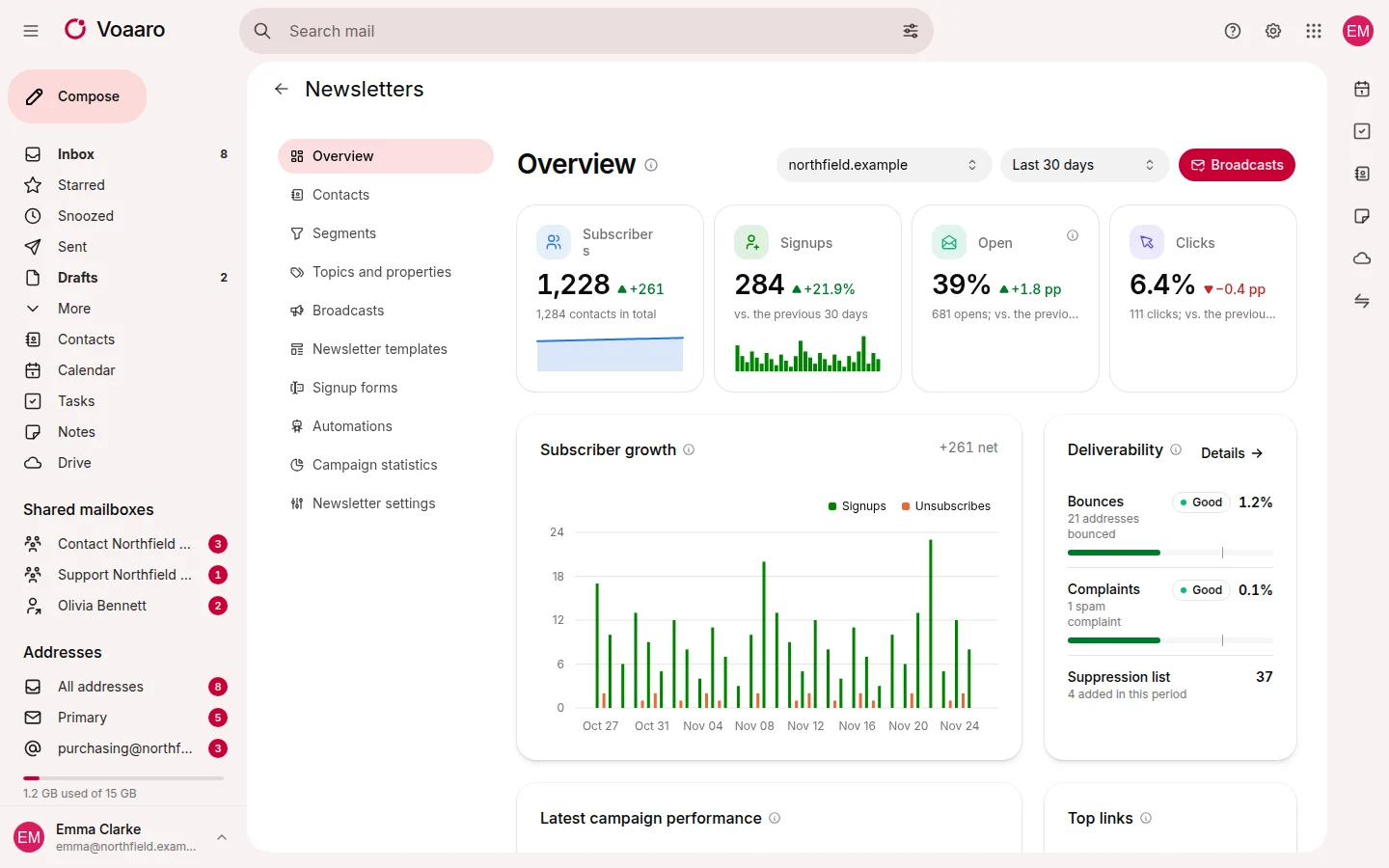
The sections
| Section | What you do there |
|---|---|
| Overview | the domain's subscribers, signups, opens, clicks and deliverability (bounces, complaints), over 30 days or another period |
| Contacts | subscribers: search, CSV import, unsubscribe, delete |
| Segments | groups of subscribers based on their properties or activity |
| Topics and properties | the topics people subscribe to separately, and the contact fields (first name, city…) |
| Broadcasts | write in the visual editor, choose the segment and the sender, send yourself a test, send or schedule; a calendar shows planned sends |
| Newsletter templates | reusable layouts, with HTML pasting |
| Signup forms | forms to embed in your site, with double opt-in; or your own form |
| Automations | "wait, send, condition" journeys triggered by a new contact, a segment, a topic, a confirmed signup or an event sent through the API (welcome message…) |
| Campaign statistics | delivered, opened, clicked, bounces, complaints, unsubscribes for each campaign |
| Newsletter settings | the domain's settings, including the postal address required in every send |
The domain chosen at the top of the page applies to all sections.
Good practices
One-click unsubscribe is added automatically to every message, and a new list ramps up gradually. Send to your most active subscribers first, from a dedicated sending domain. See also Deliverability.
To manage newsletters for the whole organisation, see Audiences and campaigns in the console.