You can take your messages, contacts and calendars with you at any time, in open formats, and close your account if your administrator allows it. These actions are in Settings › Accounts › Your data.
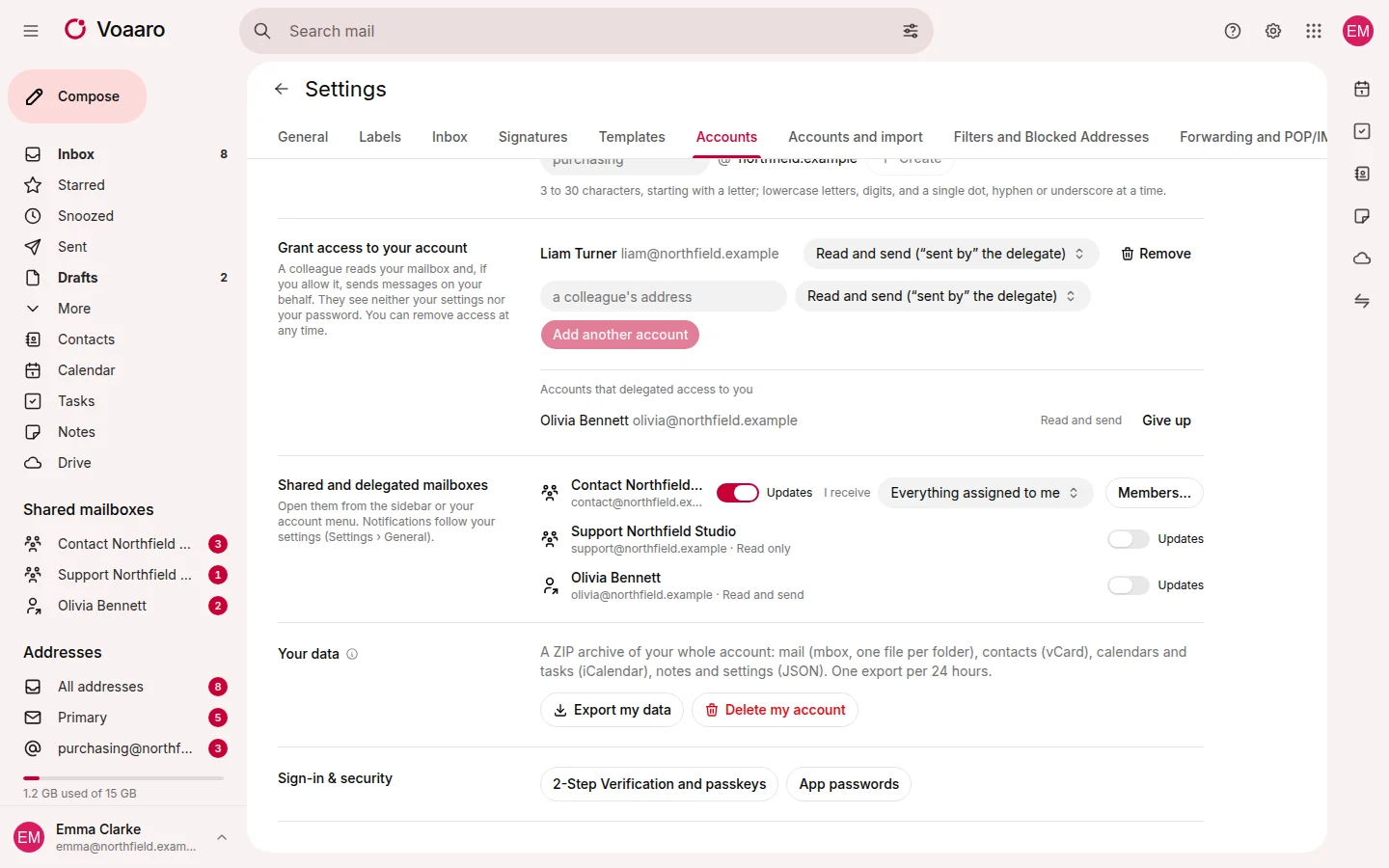
Export your data
Export my data prepares a ZIP archive of your whole account, then downloads it:
| In the archive | Format | Opens with |
|---|---|---|
courrier/<folder>.mbox | mbox, one file per folder | Thunderbird (ImportExportTools NG), Apple Mail, or another mail service's import |
contacts.vcf | vCard | any address book |
agendas/*.ics | iCalendar (calendars and task lists) | any calendar |
donnees/*.json | JSON (notes, settings, filters, blocked addresses, forwarding, secondary addresses, account) | a text editor |
One export per 24 hours. The archive contains no passwords or secrets. For a large mailbox, preparation takes a few minutes: keep the tab open.
Delete your account
Delete my account appears when it is allowed: always on a public service, and in a company if the administrator has enabled it. An administration account can't be deleted this way.
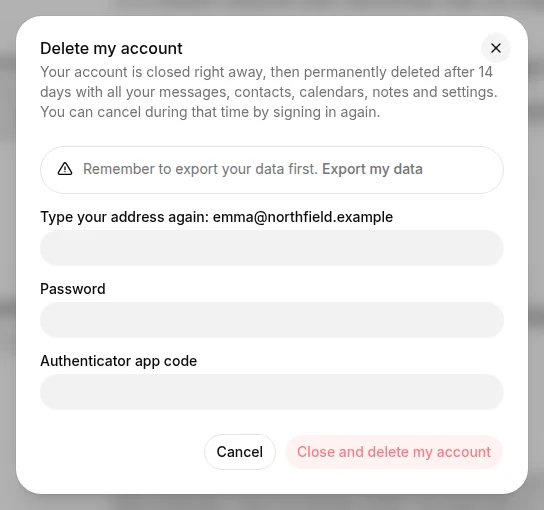
- Export your data first if you want to keep it.
- Type your address again, your password and, if it is on, your 2-Step Verification code.
- Close and delete my account: the account is closed right away (no more sign-in, webmail, IMAP or SMTP).
- It is deleted after 14 days, with all its data. During that time, simply signing in again cancels the request.
You are notified by email at each step (in your mailbox and at your recovery address). The deleted address can't be taken again for 90 days, and never by someone else on a public service.
On the administration side: who can delete their account, how long the log is kept and inactive accounts are described in Account export and deletion.